FMC Collage (2).jpg
An official website of the State of Georgia.
The .gov means it’s official.
Local, state, and federal government websites often end in .gov. State of Georgia government websites and email systems use “georgia.gov” or “ga.gov” at the end of the address. Before sharing sensitive or personal information, make sure you’re on an official state website.
Still not sure?
Call 1-800-GEORGIA to verify that a website is an official website of the State of Georgia.
GA@WORK is Live!
SAO webpages are currently being updated as we transition.
October 14, 2026
A@WORK releases take place twice a year and are designed to continuously improve the system’s functionality, usability, and overall user experience.
The first GA@WORK release took place Sept. 19 and, by now, you may have noticed a few changes to the look and feel of the system. Below are some notable differences that have helped to enhance the system’s functionality and user experience.
Be sure to stay informed about upcoming releases and take advantage of new features and enhancements as they become available.
The transition to the new GA@WORK User Community is underway. Over the past 30 days, the NextGen Change Network and Super Users have been consolidated into a single monthly meeting to foster greater collaboration and alignment. This group will meet monthly leading up to the official launch of the GA@WORK User community in January 2027.
The GA@WORK User Community will include agency Points of Contact, NextGen Change Network members, GA@WORK Super Users, as well as leaders from HR, Payroll, Security, Procurement, and Finance.
The goal is to keep agencies informed of upcoming system enhancements, provide ongoing training and change management support and develop a community of users that shapes the future of GA@WORK.
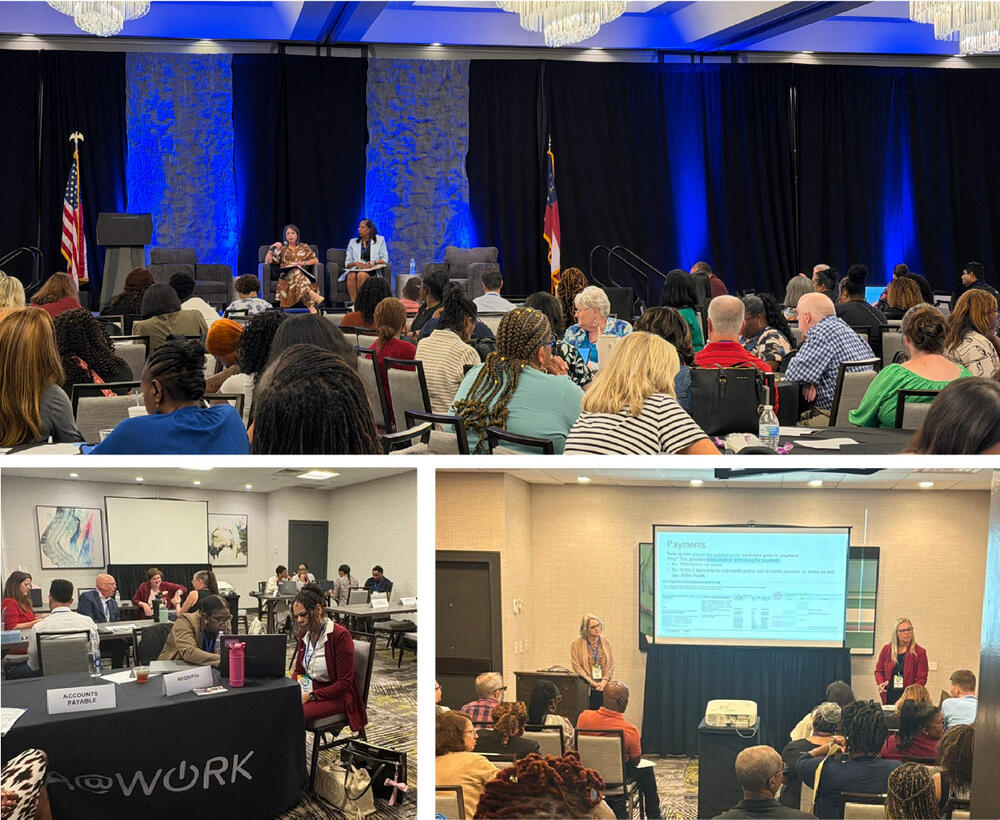
The 2026 Fiscal Management Council Annual Training Conference took place in Savannah Sept. 20 - 23.
Hundreds of finance professionals from across the state gathered to learn the latest in finance and even heard an inspiring change management talk from Tyler Gillum, head coach of the Savannah Bananas baseball team!
The GA@WORK Team hosted several sessions providing insight and overviews of system functionality. GA@WORK presentations shared during the Conference are available on the GA@WORK Support Portal. Each presentation is available in the Managed Documents section of the related support area.
Below is the list of presentations topics shared:
As we continue adapting to GA@WORK, questions and additional support may be required to help ensure work is completed efficiently and effectively. The DOAS and SAO Help Desks are available to answer questions, provide guidance, and escalate issues to the appropriate teams or individuals for further assistance. This is facilitated through a ticketing process. The level of detail provided when submitting a ticket impacts how efficiently a solution may be found.
Below are best practices when submitting a ticket:
It is important to follow the established ticketing process and avoid circumventing it by contacting project team members directly. This ensures requests are properly documented, tracked and routed to the appropriate resources for timely resolution.
Take advantage of the upcoming instructor-led training opportunities to expand your knowledge, strengthen your skills, and support your continued professional development.
For assistance with registration and to view the latest schedule, visit GA@WORK Learning in the GA@WORK system.
Note: Look for communications from [email protected] for official GA@WORK Training notifications. If you don’t have access to receive messages from this mailbox, contact your agency’s Point of Contact.
New Quick Reference Guides (QRGs) and Tips have been added to the Support Portal and GA@WORK Resource Library since mid-September. These resources are available to provide supplemental support for common processes in easily digestible formats.
The latest QRGs can be found on the Support Portal by entering the keyword “Quick Reference Guide” in the search bar. The newly added tips are also located on the Support Portal as well as the GA@WORK Resource Library.
Below is a list of the latest QRGs and Tips.
QRGs:
Tips: